
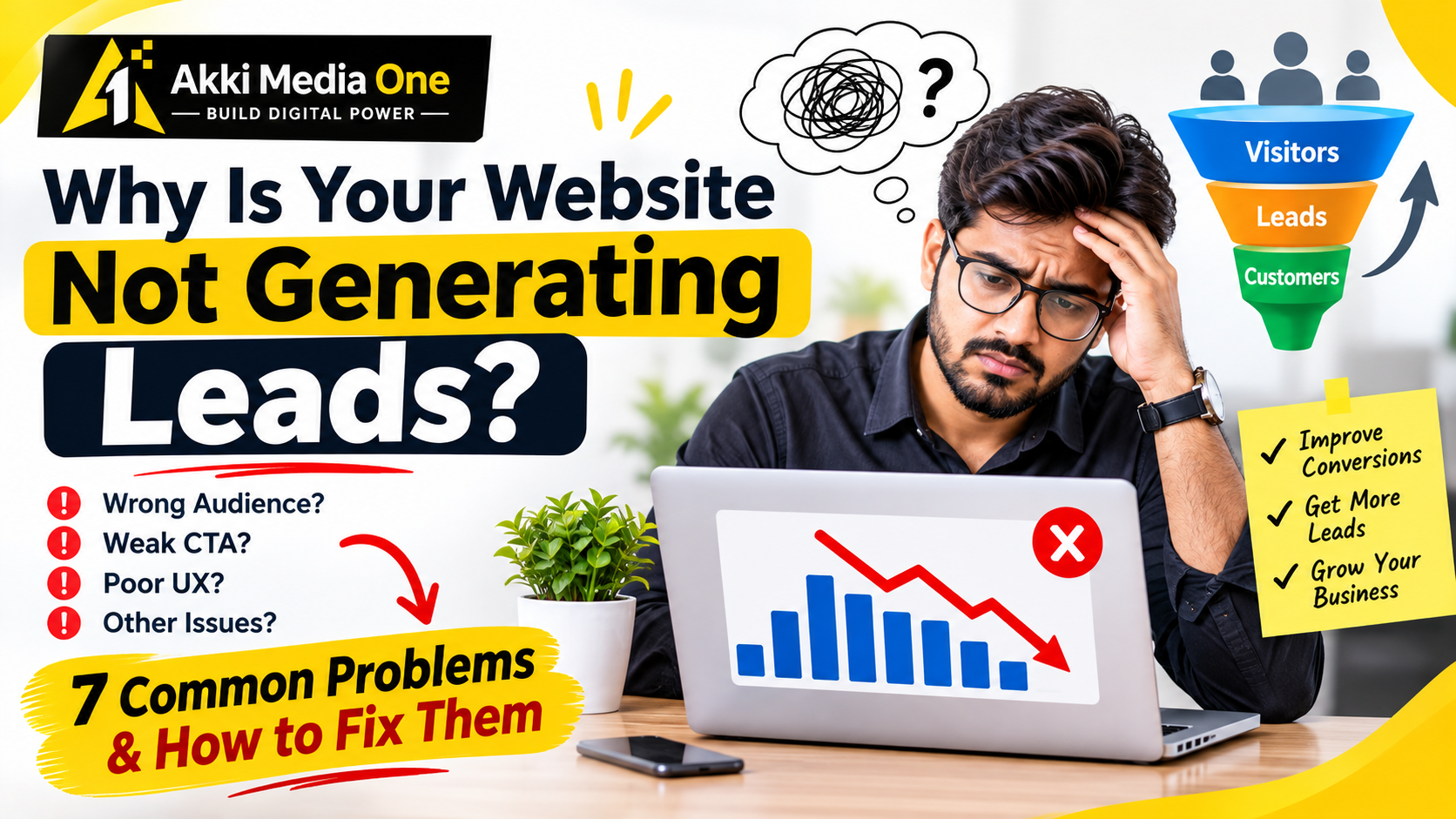
Why Is Your Website Not Generating Leads?
Published: 01 Nov 2026
On this page
Why Is Your Website Not Generating Leads?
Your website may be getting visitors, appearing in search results, or receiving clicks from advertisements, yet still failing to generate enquiries. For many businesses, this creates a frustrating situation: money and effort are being invested in online marketing, but potential customers are not contacting the business.
The problem is not always a lack of traffic. Visitors may be reaching the wrong pages, struggling to understand your services, losing trust, encountering technical issues, or finding it difficult to take the next step.
A website should do more than display information. It should help the right visitors understand your offering, evaluate whether it meets their needs, and contact your business when they are ready.
In this guide, Akki Media One explains why websites fail to generate leads, how to identify the underlying problems, and what practical improvements businesses can make to increase the chances of turning visitors into enquiries.
1. Why Is Your Website Getting Traffic but No Leads?
Website traffic and lead generation are two different outcomes.
Traffic measures visits to your website. Lead generation measures whether visitors take a meaningful action, such as submitting an enquiry form, requesting a quotation, booking a consultation, or calling your business.
A website can receive traffic without generating leads for several reasons:
-
The visitors are not part of your target audience.
-
Your website does not clearly explain what you offer.
-
Your landing page does not match the advertisement or search query.
-
Your contact form is difficult to complete.
-
Visitors do not see enough relevant information to trust your business.
-
The website performs poorly on mobile devices.
-
Your calls to action are unclear or difficult to find.
-
Conversion tracking is not configured correctly.
The first step is to identify where the problem occurs instead of immediately spending more money on advertising.
For example, if your website receives visitors from irrelevant search queries, improving the contact form alone may not solve the problem. If visitors are relevant but leave without contacting you, the page content, user experience, offer, or conversion process may need attention.
The key principle: Diagnose the problem before deciding which part of your marketing strategy to change.
2. Your Website May Be Attracting the Wrong Audience
Not every visitor is a potential customer.
A person researching general information may not be ready to purchase. Another visitor may need a service that your business does not provide. Some visitors may come from locations you cannot serve.
This is why traffic volume alone is not a reliable measure of lead generation success.
How to identify the problem
Review the following:
-
Which search queries bring visitors to your website?
-
Which pages receive the most traffic?
-
Which locations generate visits and enquiries?
-
Which advertising campaigns bring relevant prospects?
-
Are visitors looking for the services you actually offer?
-
Do enquiries match your target customer profile?
Google Search Console can help you review organic search queries, clicks, and impressions. Analytics and advertising platforms can provide additional information about visitor behaviour and campaign performance.
How to improve audience relevance
1. Target relevant keywords
Focus on search terms related to your actual services and the needs of your potential customers.
2. Improve advertisement targeting
Review your audience, location settings, keywords, and search terms to identify irrelevant traffic.
3. Create dedicated service pages
Explain each major service clearly so visitors can determine whether your business is suitable for their needs.
4. Make your offer specific
State who the service is for, what it includes, and what problem it addresses.
The goal is not necessarily to attract more visitors. It is to attract more of the visitors who are relevant to your business.
3. Your Website Does Not Clearly Explain What You Offer
Visitors should not have to search through several pages to understand what your business does.
If the main headline is vague, the services are poorly explained, or the value of your offering is unclear, visitors may leave before considering an enquiry.
For example, a headline such as “Welcome to Our Digital World” does not explain what a business actually provides.
A more informative headline might be:
“Digital Marketing and Website Development for Growing Businesses”
The second example gives visitors a clearer understanding of the services being offered.
What should your homepage communicate?
Your homepage should help visitors understand:
-
What your business offers.
-
Who your services are intended for.
-
Which problems you help solve.
-
Why a visitor should consider your business.
-
What the visitor should do next.
Use clear, accurate language instead of exaggerated promises.
If you provide SEO services, explain the work involved, such as technical audits, keyword research, content optimization, and performance monitoring, where those activities are part of your actual offering.
If you provide website development, describe relevant capabilities, deliverables, and the types of projects you undertake.
Practical recommendation: Ask someone unfamiliar with your business to review your homepage for a few seconds. Can they explain what you offer and how to contact you? If not, improve the messaging.
4. Your Website Has No Clear Call to Action
A call to action, or CTA, tells visitors what they can do next.
Without a clear next step, visitors may read your content and leave without enquiring, even when they are interested in your service.
Common calls to action include:
-
Request a Quote
-
Book a Consultation
-
Contact Our Team
-
Schedule a Demo
-
Get a Project Estimate
-
Call Now
Choose an action that matches the page and the visitor's likely intent.
For example, someone reading a detailed service page may be ready to request a quotation. A person reading an introductory educational article may prefer to explore a related service first.
CTA mistakes to avoid
-
Hiding contact options at the bottom of a long page.
-
Using vague buttons such as “Click Here” without context.
-
Displaying too many competing buttons.
-
Using button text that does not match the actual destination.
-
Sending visitors to an unrelated page after they click.
-
Making important contact details difficult to find.
Place the primary CTA where it is easy to notice and repeat it where appropriate, especially on longer service pages.
Google Ads' landing page guidance also emphasizes aligning the page with the advertisement and making the intended action easy for visitors to complete.
5. Your Contact Form Is Too Complicated
An enquiry form is often one of the most important conversion points on a business website.
If the form asks for too much information, contains confusing fields, or does not work correctly, visitors may abandon it.
For example, a business requesting a simple quotation may not need a prospect's full postal address, date of birth, and extensive personal information at the first stage.
How to improve your enquiry form
Keep the form relevant
Start with the minimum information needed to respond effectively.
Use clear field labels
Visitors should understand exactly what information is required.
Explain required fields
Mark mandatory fields clearly and avoid unnecessary validation rules.
Make error messages helpful
If a field is incomplete or invalid, explain how to correct it.
Test the form on mobile
Ensure fields, dropdowns, buttons, and error messages work properly on smaller screens.
Confirm successful submission
Display a clear confirmation message after the form is submitted successfully.
Verify delivery
Check that enquiries actually reach the correct email inbox, CRM, or lead management system.
A form that appears to work visually may still fail because of server errors, email configuration problems, or broken integrations.
Test the complete process from submission to receipt.
6. Your Website Is Difficult to Use on Mobile Devices
Visitors may leave if your website is difficult to navigate on a phone.
Common mobile usability problems include:
-
Text that is difficult to read.
-
Buttons that are too small or too close together.
-
Forms that are awkward to complete.
-
Menus that do not work correctly.
-
Content extending beyond the screen.
-
Important contact information being difficult to locate.
-
Pages that load slowly on mobile connections.
How to improve mobile usability
Review your main landing pages on an actual smartphone.
Check whether visitors can easily read the content, understand the offer, navigate the page, and complete the primary action.
Use responsive layouts, readable typography, appropriately sized buttons, and simple navigation.
Prioritize the content and actions that matter most to the user.
Google's guidance for advertising landing pages recommends mobile-friendly pages, easy navigation, relevant content, and making the desired action straightforward.
7. Your Website Loads Slowly or Has Technical Problems
A website that takes too long to load or fails to function correctly can create unnecessary friction.
Potential problems include large images, inefficient scripts, excessive third-party integrations, server issues, broken links, and forms that fail to submit.
However, do not assume that speed is the only cause of poor lead generation. A technically fast website can still have weak messaging or an irrelevant offer.
What should you check?
-
Does the homepage load reliably?
-
Do important service pages work correctly?
-
Are images appropriately sized?
-
Are there broken links or missing resources?
-
Do enquiry forms submit successfully?
-
Are there JavaScript errors affecting important functions?
-
Does the website remain usable on mobile devices?
-
Are important pages accessible to search engines?
Use tools such as Google PageSpeed Insights to investigate performance and Core Web Vitals.
Fix issues based on their actual impact rather than installing optimization plugins or changing website code without understanding the problem.
If the website has a serious technical issue, resolve it before investing heavily in additional traffic.
8. Your Website Does Not Build Enough Trust
Visitors may hesitate to submit their contact details if they cannot determine whether your business is credible or suitable for their requirements.
Trust is particularly important for expensive services, professional consulting, financial commitments, and projects that require sharing sensitive business information.
Trust signals that can help
A clear About Us page
Explain your business, team, experience, and areas of expertise accurately.
Detailed service pages
Describe your process, scope, deliverables, and relevant limitations.
Genuine portfolio examples
Show real projects and explain what your team actually contributed.
Authentic testimonials
Use feedback from real customers with appropriate permission.
Transparent contact information
Provide reliable contact options and respond professionally to enquiries.
Clear pricing information where practical
If exact prices depend on requirements, explain the factors that influence the cost rather than making unsupported promises.
A privacy policy
Explain how contact information is collected and used.
Do not create fake reviews, invent client logos, publish fabricated case studies, or claim results that cannot be verified.
A credible website helps visitors make informed decisions and sets realistic expectations.
9. Your Landing Page Does Not Match Your Advertisement
Suppose your Google Ads campaign promotes website development services for small businesses.
A visitor clicks the advertisement but arrives on a homepage dominated by unrelated services, with no obvious information about website development.
The visitor must now search for the information they expected to find. Some may leave instead.
This is a mismatch between the advertisement and the landing page.
How to fix the mismatch
1. Match the headline
Use a landing page headline that reflects the service or offer mentioned in the advertisement.
2. Keep the message consistent
Ensure the benefits, pricing details, and conditions shown on the page agree with the advertisement.
3. Make the next step obvious
If the advertisement asks people to request a quotation, make the quotation form easy to find.
4. Remove unnecessary distractions
Avoid excessive pop-ups, unrelated offers, and navigation elements that distract from the primary conversion goal.
5. Review each major campaign separately
Different audiences and offers may need different landing pages.
Google Ads recommends maintaining relevance between ad text, keywords, and landing pages to improve the visitor experience.
10. Your Website Content Does Not Answer Customer Questions
Visitors often need more information before contacting a business.
If your website only lists services without explaining them, potential customers may struggle to understand whether your business can solve their problem.
For example, a website development page could answer:
-
What types of websites do you build?
-
Which technologies do you use?
-
What information is needed to start a project?
-
How is the project scope determined?
-
What affects the development cost?
-
What happens after launch?
Similarly, an SEO service page could explain the process, expected deliverables, measurement methods, and factors that influence results.
How to improve service content
-
Explain services in straightforward language.
-
Answer common pre-sales questions.
-
Include relevant examples.
-
Explain your process and deliverables.
-
Link to related articles and case studies.
-
Keep factual information current.
-
Avoid keyword stuffing and unsupported performance claims.
Helpful content can assist users in evaluating a service and deciding whether to make an enquiry.
Google recommends creating useful, reliable, people-first content rather than producing pages primarily to manipulate search rankings.
11. You Are Not Tracking Website Conversions Correctly
Sometimes a business believes its website is not generating leads because conversion tracking is missing, incomplete, or incorrectly configured.
In other cases, the website genuinely receives few enquiries, but the business has no reliable data to determine why.
Both situations require investigation.
Important actions to track
Depending on your business model, useful conversion actions may include:
-
Successful enquiry form submissions.
-
Qualified phone calls.
-
Consultation bookings.
-
Quote requests.
-
Purchases.
-
Qualified leads that progress through the sales process.
Do not treat every button click as a successful lead. Clicking a contact button is different from completing a form or having a meaningful sales conversation.
How to check your tracking
Google Analytics 4: Review relevant events and conversions.
Google Tag Manager: Check that the correct tags and triggers fire at the intended stages.
Google Ads: Configure conversion actions for meaningful business outcomes.
CRM or lead management system: Record whether enquiries are qualified and whether they become customers.
Test the entire process, including form submission, confirmation messages, event recording, and lead delivery.
Google provides conversion measurement tools to help businesses understand which advertising interactions lead to valuable actions.
12. You Are Focusing on Traffic Instead of Conversion Quality
More traffic does not automatically produce more customers.
Imagine a website receives 1,000 visits but generates only a few relevant enquiries. Another website receives fewer visits but attracts people who are specifically searching for its services.
The second website may be commercially more effective, depending on its sales outcomes and acquisition costs.
This is why businesses should assess traffic quality alongside conversion performance.
Key metrics to review
|
Metric |
What It Tells You |
|---|---|
|
Website sessions |
How many visits your website receives |
|
Landing page engagement |
How visitors interact with important pages |
|
Conversion rate |
The share of relevant visits or interactions that result in the defined conversion |
|
Qualified leads |
How many enquiries meet your business criteria |
|
Cost per lead |
Advertising cost divided by the number of leads generated |
|
Cost per qualified lead |
Relevant acquisition cost divided by qualified leads |
|
Lead-to-customer rate |
The share of leads that become customers |
Be consistent about what each metric measures.
For example, if you calculate conversion rate as completed enquiry forms divided by website sessions, use that definition consistently when comparing periods.
Do not compare metrics calculated from different denominators as if they were equivalent.
13. A Practical Checklist to Find Out Why Your Website Is Not Generating Leads
Use this checklist to identify possible problems before making major changes.
Website lead generation audit
0 of 10 checkedIf several items need attention, prioritize problems that prevent visitors from completing the intended action, such as broken forms, misleading page content, or missing contact details.
Then address improvements based on evidence and business priorities.
14. How to Improve Website Leads in the Next 30 Days
A structured plan can help you make improvements without changing everything at once.
Week 1: Diagnose the Problem
-
Review website traffic and landing page performance.
-
Inspect search queries and advertising traffic.
-
Test contact forms and phone links.
-
Verify analytics and conversion tracking.
-
Identify the most important technical or messaging problems.
Week 2: Improve the Main Conversion Page
-
Rewrite unclear headlines.
-
Make the main offer more specific.
-
Improve CTA placement and wording.
-
Simplify the enquiry form.
-
Add genuine, relevant trust signals.
Week 3: Improve Traffic Relevance
-
Review targeting and search terms.
-
Align advertisements with landing pages.
-
Improve important service content.
-
Remove irrelevant or misleading messaging.
-
Connect related blog posts to relevant service pages.
Week 4: Measure and Refine
-
Compare results with the earlier baseline.
-
Review enquiries for quality.
-
Investigate where visitors abandon the process.
-
Check whether technical changes are working.
-
Prioritize the next improvements using actual data.
This is a practical testing framework, not a guarantee of a specific increase in leads within 30 days. Results depend on the starting condition, traffic volume, audience, offer, and other factors.
15. Frequently Asked Questions
Q1. Why is my website getting traffic but no leads?
Possible causes include irrelevant traffic, unclear service information, weak calls to action, complicated forms, poor mobile usability, low trust, or technical problems. Review your traffic sources and conversion process before deciding which change to make.
Q2. How can I increase website enquiries?
Make your service offering clear, use relevant calls to action, simplify enquiry forms, improve mobile usability, provide useful information, and test the complete lead submission process.
Q3. Can SEO help my website generate more leads?
SEO can help your website become more visible for relevant searches. However, visibility alone does not guarantee enquiries. Your content, target audience, service offering, and conversion experience also matter.
Q4. Should I run Google Ads if my website is not generating leads?
First, check that your landing pages work properly, the offer is clear, and conversion tracking is configured correctly. Advertising may bring relevant visitors, but sending paid traffic to a broken or confusing website can waste budget.
Q5. What is a good website conversion rate?
There is no single conversion rate that applies to every business. Results depend on the industry, traffic source, visitor intent, offer, and the action being measured. Compare performance with your own reliable baseline and business goals.
Q6. How do I know if my contact form is losing leads?
Test the form on desktop and mobile, check validation and confirmation messages, and verify that submitted enquiries reach the intended inbox or CRM. Review form completion data where available.
Q7. Does a slow website always cause low conversions?
Not necessarily. Performance problems can create friction, but low conversions may also result from irrelevant traffic, unclear messaging, weak offers, or a lack of trust. Investigate the full customer journey rather than assuming a single cause.
Q8. Should I redesign my entire website to generate more leads?
Not always. Fixing a broken form, improving a headline, clarifying a service page, or correcting tracking may be more appropriate than a complete redesign. Consider rebuilding only when the current website's limitations justify it.
Conclusion
If your website is not generating leads, the solution is not always to increase traffic or spend more money on advertising.
The real issue may be that the wrong visitors are reaching your website, your services are not clearly explained, the enquiry process is difficult, or your tracking does not show what is happening.
Start by identifying the problem. Make your offer clear, improve the visitor experience, remove unnecessary friction, and measure meaningful conversions.
A website becomes more useful as a business asset when it helps suitable customers understand your services and take the next step.
Need help improving your website's lead generation?
Akki Media One provides website development, SEO, digital marketing, and conversion rate optimization services to help businesses improve their online presence and evaluate opportunities to generate more enquiries.
Explore our Conversion Rate Optimization services or contact Akki Media One to discuss your website's requirements.
3. Internal linking — Actual Akki Media One URLs
Bhai, in links ko article ke relevant paragraphs mein naturally add karna. Ye actual pages hain, generic homepage placeholders nahi.
|
Blog section |
Suggested anchor text |
Actual URL |
|---|---|---|
|
Website usability and development |
|
|
|
Landing page and conversion problems |
|
|
|
Building credibility |
|
|
|
Final call to action |
|
|
|
Related lead generation reading |
|
Important: Before publishing, confirm that the final link in the last row matches the actual URL of your previously published lead-generation article. If the URL is different, use the live article URL instead.
4. Credible external sources
These sources support the technical recommendations in the article.
1. Google Ads — Optimize Your Ads and Landing Pages
Guidance on advertisement relevance, landing page experience, mobile usability, and clear calls to action.
2. Google Ads — Conversion Tracking
Explains how conversion tracking measures actions that matter to a business.
3. Google Search Central — Creating Helpful, Reliable, People-First Content
Guidance for publishing content that prioritizes users and provides useful, reliable information.
4. Google Search Central — Debugging Search Traffic Drops
Explains how to investigate technical problems, search performance changes, and other causes of traffic declines.
Why This Topic Matters
This article is designed to give direct, useful answers that business owners and marketing teams can apply in real projects. For broader execution support, explore our services, review our portfolio, or talk to our team.
About The Publisher
Akki Media One publishes practical guidance on SEO, paid ads, website development, digital strategy and business growth. Our content is written to support decision-making, implementation and measurable outcomes.
Quick Answers
What is the main takeaway from Why Is Your Website Not Generating Leads??
Why Is Your Website Not Generating Leads? Your website may be getting visitors, appearing in search results, or receiving clicks from advertisements, yet still failing to generate...
Who should read this article?
Business owners, marketing teams and growing brands looking for practical SEO, content, ads or web growth guidance.
What should I do next after reading this?
Review related articles, explore relevant services and contact our team if you need implementation support.