Complete English blog — Ready to publish
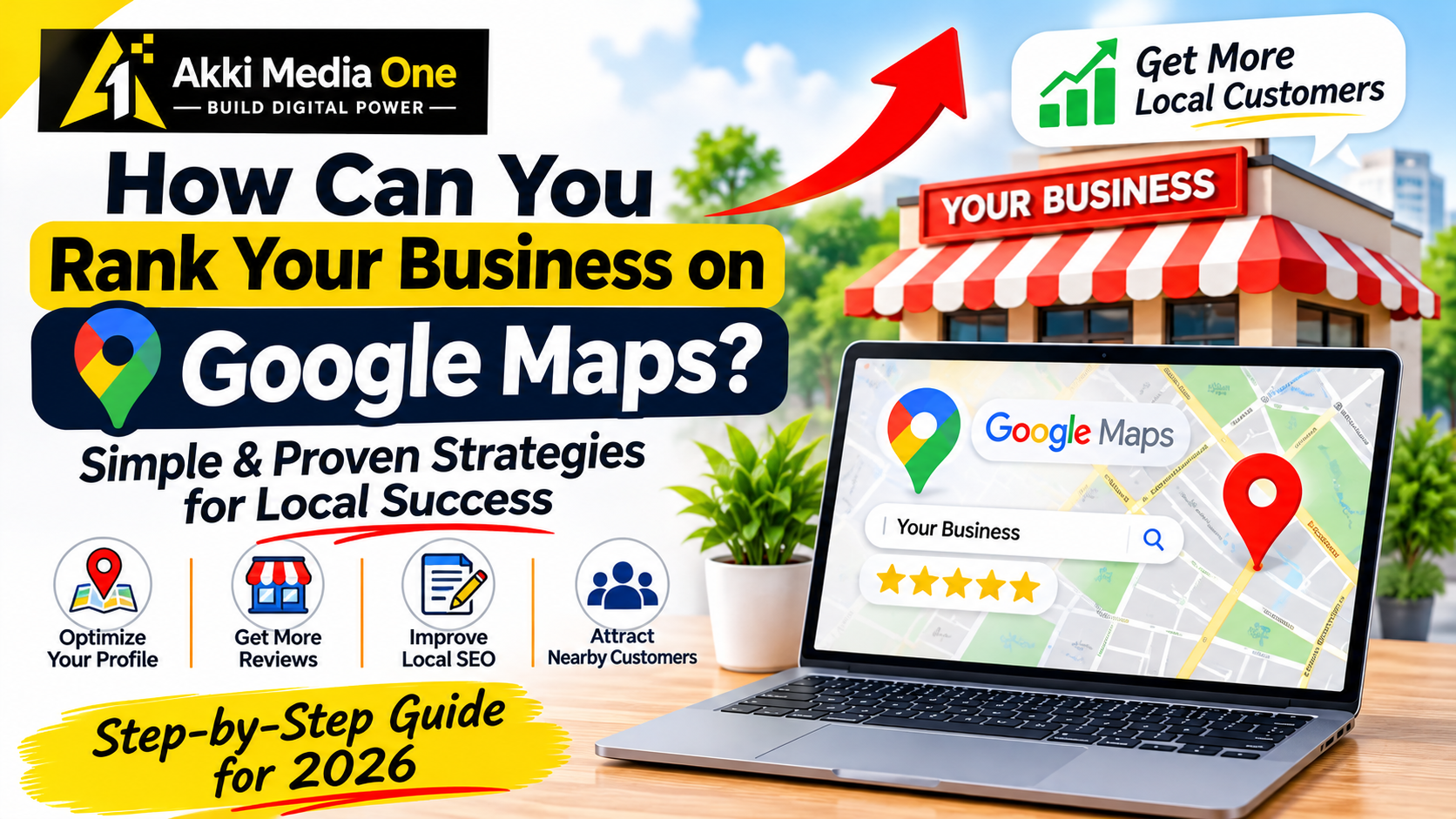
How Can You Rank Your Business on Google Maps?
When people search for services near them, Google Maps can help them discover relevant local businesses. Whether someone is looking for a restaurant, digital marketing agency, dentist, electrician, salon, or website development company, local search visibility can help connect businesses with potential customers.
However, simply creating a Google Maps listing does not guarantee that your business will appear at the top of local search results.
Your visibility depends on several factors, including how relevant your business is to the search, the searcher's location, and how prominent your business is online. Google identifies these three main factors as relevance, distance, and prominence.
Google Business Profile Help
The good news is that businesses can take practical steps to improve their online presence, maintain accurate business information, build customer trust, and strengthen their local SEO strategy.
In this guide, Akki Media One explains how to optimize your Google Business Profile, improve local search visibility, earn genuine reviews, and measure your progress without relying on misleading SEO promises.
1. What Is Google Maps SEO?
Google Maps SEO is the process of improving a business's visibility in relevant local search results on Google Maps and Google Search.
It commonly involves optimizing your Google Business Profile, maintaining consistent business information, earning genuine customer reviews, improving your website's local relevance, and building a trustworthy online presence.
For example, when someone searches for “digital marketing agency near me,” Google may display local business results alongside other search results.
Businesses with relevant and well-maintained profiles may be eligible to appear in these local results. However, placement depends on the individual search and Google's ranking systems.
Why does Google Maps SEO matter?
Local search visibility can help potential customers:
-
-
Find your address or service area.
-
Check your opening hours.
-
-
-
-
Request directions or contact you.
The value depends on your business model. A shop with a physical storefront may benefit from visits, while a service-area business may focus more on calls, website enquiries, and qualified leads.
2. Understand How Google Maps Rankings Work
Before optimizing your business, understand the main factors Google identifies for local ranking.
Relevance
Relevance describes how well your business profile matches what someone is searching for.
For example, a profile for a website development company is more relevant to a website development search than a profile for an unrelated business.
You can support relevance by providing complete, accurate information about your business, choosing appropriate categories, and explaining your services clearly.
Distance
Distance refers to how far a business is from the searcher or the location specified in the search.
A business close to the searcher may have an advantage for a nearby-service query. A business farther away may still appear if Google considers it a suitable result for that particular search.
This means you cannot guarantee top rankings across an entire city simply by optimizing your profile.
Prominence
Prominence refers to how well-known a business is.
Google indicates that prominence can be influenced by information such as reviews, links, and other information about a business across the web.
Google Business Profile Help
Building a strong reputation, maintaining a useful website, earning genuine reviews, and developing relevant online visibility can support your local presence.
Important: Google does not offer a way to request or pay for a better organic local ranking. Avoid agencies that promise guaranteed first-place Google Maps positions.
Google Business Profile Help
3. Create and Verify Your Google Business Profile
A Google Business Profile is a key starting point for eligible businesses that want to appear on Google Maps and local Search.
If you have not created one, start with the official Google Business Profile website.
Steps to get started
-
Sign in with the Google account you want to use to manage the business.
-
Search for your business to check whether a profile already exists.
-
If appropriate, claim an existing profile or create a new one.
-
Enter your real business name and accurate business details.
-
Select the business category that best describes your primary activity.
-
Add the appropriate address or service area, depending on your business model.
-
Complete the verification process offered by Google.
Verification methods can vary, so follow the options displayed in your account.
Why verification matters
Verification helps Google establish that you are authorized to manage the business profile. It also allows you to manage the profile's information and access its available features.
Do not create duplicate profiles for the same business or claim a location where your business does not genuinely operate. These practices can create eligibility and profile management problems.
4. Choose the Right Primary Business Category
Your primary category helps describe the main type of business you operate.
Selecting a category that accurately represents your business is more useful than choosing a broad or unrelated category simply because you believe it may attract more searches.
For example:
-
A restaurant should choose an appropriate restaurant category.
-
A dental clinic should select the relevant dental category.
-
A web development company should choose the closest accurate category available.
-
A plumbing business should select an appropriate plumbing category.
Available categories depend on Google's current category options.
How to choose the right category
-
Describe your main business activity.
-
Review the available category options.
-
Choose the most accurate primary category.
-
Add additional categories only when they genuinely describe other business activities.
-
Revisit your categories if your business changes.
Google's guidelines recommend using the fewest categories necessary to describe the business's overall core activity.
Google Business Profile Help
Do not add unrelated categories to target more keywords.
5. Complete Every Important Business Detail
An incomplete profile may leave potential customers with unanswered questions.
Make sure your information is accurate and up to date.
Business name
Use your real-world business name as consistently represented in your branding and business materials.
Do not add extra city names, service keywords, phone numbers, or promotional phrases to the name unless they genuinely form part of your real-world business name and comply with Google's guidelines.
Business address
If customers visit your business, provide the correct eligible address.
If you operate as a service-area business, follow Google's rules for displaying your address and defining the areas you serve.
Do not use a virtual office or an address where your business does not genuinely qualify for a profile.
Phone number
Use a phone number that customers can use to reach your business.
Test it regularly to make sure it works.
Website
Link to your official website or the most relevant page allowed by the profile's available website field.
Opening hours
Enter accurate regular hours and update special hours when necessary.
Services and attributes
Where available and applicable, add relevant services and business attributes that help customers understand what you offer.
Google recommends keeping business information complete and accurate because it helps match profiles with relevant searches and informs potential customers.
Google Business Profile Help+1
6. Write a Helpful Business Description
Your business description should explain what your business does, who it serves, and which products or services it offers.
Avoid writing a list of repeated keywords or making unsupported claims about your ranking, quality, or market position.
For example, a digital marketing agency might describe its website development, SEO, advertising, and conversion optimization services in straightforward language, provided those services are actually offered.
Tips for a better description
-
Explain your main business activity.
-
Mention relevant services naturally.
-
Describe your experience or approach accurately.
-
Focus on information useful to customers.
-
Avoid excessive keyword repetition.
-
Do not include promotional slogans or unsupported claims.
Follow Google's current Business Profile description guidelines when writing and updating the description.
Google Business Profile Help
A useful description helps customers understand the business, but it does not guarantee a particular ranking.
7. Get Genuine Customer Reviews
Customer reviews help people evaluate a business before deciding to contact or visit it.
Reviews can also contribute to local prominence, according to Google's published explanation of local ranking factors.
Google Business Profile Help
However, review quality and authenticity matter more than trying to manufacture a particular star rating.
How to encourage genuine reviews
Ask customers after a real interaction.
Invite customers who have used your service to share honest feedback.
Make the process convenient.
Use Google's available review link or QR code to make it easier for customers to leave a review.
Respond professionally.
Thank customers for useful feedback and address concerns respectfully.
Learn from criticism.
Look for recurring complaints that may reveal problems in your service, communication, or delivery.
Keep requests neutral.
Give customers the freedom to share their genuine opinions without pressure.
What you must avoid
Google prohibits fake reviews and incentives offered in exchange for reviews, review changes, or removal of negative reviews.
Google Business Profile Help+1
Do not:
-
-
Create fake customer accounts.
-
Offer discounts in exchange for positive reviews.
-
Ask only satisfied customers to review you while discouraging others.
-
Pressure customers to include specific phrases.
-
Use fake reviews to damage competitors.
A trustworthy review profile is built through genuine customer experiences and responsible review management.
8. Add Real Photos and Videos
Photos can help customers understand what your business looks like and what they can expect when they visit or use your services.
For a physical business, relevant photos may include:
-
The exterior and entrance.
-
The interior or workspace.
-
-
Your team, where appropriate.
-
-
For a service business, use genuine project images or other visuals that accurately represent your services.
Photo optimization tips
-
Use clear, relevant images.
-
Upload photos that represent your actual business.
-
Keep images current when your premises or services change.
-
-
Do not use unrelated stock photos to represent your physical location.
-
Follow Google's image and content policies.
Photos help people evaluate your business and may improve the usefulness of your profile. Do not assume that uploading a specific number of photos will automatically improve your ranking.
9. Optimize Your Website for Local SEO
Google Maps visibility and organic website SEO are different, but they can complement one another.
Google notes that information across the web, links, reviews, and your position in web results can contribute to prominence and local visibility.
Google Business Profile Help
Your website should clearly explain what your business offers and where it genuinely operates.
Local SEO improvements
Create useful service pages
Explain each important service in detail.
Include accurate location information
If your business serves a specific city or region, describe the area naturally where relevant.
Make contact information accessible
Ensure visitors can find your contact details without unnecessary effort.
Improve mobile usability
Many local searches happen on mobile devices, so ensure the site works well on smaller screens.
Build relevant internal links
Connect related service pages and articles to help users navigate your website.
Use appropriate structured data
Where applicable, implement accurate structured data that reflects your real business information. Structured data does not guarantee rich results or higher Maps rankings.
Maintain technical SEO
Ensure important pages can be crawled and indexed and fix significant technical issues.
Avoid creating dozens of nearly identical location pages with little useful information. Pages should serve genuine customer needs.
10. Keep Your Business Information Consistent
Your business name, address, phone number, and other essential details should be accurate wherever your business is represented online.
For example, if your website lists an outdated phone number while your business profile displays a different one, customers may become confused or fail to reach you.
What to check
-
-
Address, where applicable.
-
-
-
-
Main service information.
-
Relevant business directory listings.
Correct inaccurate information on websites and directories you control.
Consistency supports a clearer online identity, but it does not mean every business must be listed in every available directory.
Focus on accuracy and relevance rather than mass submissions to low-quality directories.
11. Use Relevant Local Content
Publishing useful content about your services and the needs of your local audience can support your website's organic search visibility.
For example, a web development company serving local businesses could publish articles about website costs, website maintenance, and choosing a development provider.
A home services company might publish practical guides about the services it provides and common customer questions.
Ideas for useful local content
-
Answers to common customer questions.
-
Detailed service explanations.
-
Genuine project case studies.
-
Practical guides related to your industry.
-
Information about your actual service area.
-
Helpful comparisons and buying considerations.
Do not publish repetitive articles that simply replace one city name with another.
The objective is to provide genuinely useful information to potential customers, not to create pages solely to target location keywords.
12. Build Local Authority and Relevant Links
Links from relevant websites can help people discover your business and contribute to your broader online presence.
Examples may include legitimate industry associations, local business organizations, relevant partners, community organizations, and publications that choose to reference your work.
Practical ways to develop local authority
-
Participate in legitimate business associations.
-
Build relationships with relevant local organizations.
-
Publish useful research or resources worth referencing.
-
Share genuine project case studies.
-
Ensure your business information is accurate on relevant directories.
-
Earn links naturally through useful work and industry participation.
Avoid buying large quantities of spammy links or participating in schemes intended to manipulate search rankings.
Not every business needs the same link-building strategy. Focus on relevance, quality, and genuine relationships rather than chasing arbitrary backlink counts.
13. Avoid Google Business Profile Mistakes
Some optimization practices can create problems rather than improve visibility.
Mistake 1: Keyword Stuffing the Business Name
Use your real-world business name. Adding extra keywords or locations can violate Google's guidelines and may result in profile issues.
Google Business Profile Help
Mistake 2: Creating Duplicate Profiles
Avoid creating multiple profiles for the same business at the same location when they represent the same operation.
Mistake 3: Using an Ineligible Address
Make sure the business genuinely qualifies for the address or service-area setup you use.
Mistake 4: Buying Reviews
Paid or fabricated reviews undermine trust and violate Google's policies.
Mistake 5: Promising Guaranteed Rankings
No legitimate provider can guarantee a specific organic Google Maps position for every search and location.
Mistake 6: Ignoring Customer Feedback
Respond professionally to genuine reviews and use recurring feedback to improve the customer experience.
Mistake 7: Updating Information Without Checking Accuracy
Keep your hours, phone number, website, and service details current.
The safest long-term strategy is to represent your business accurately and make your profile genuinely useful to customers.
14. How to Measure Google Maps Performance
Optimization should be based on evidence rather than assumptions.
Google Business Profile provides performance information for available interactions, depending on the profile and reporting features.
Review the metrics relevant to your business goals.
|
Metric
|
What It Can Help You Understand
|
|
Profile views or visibility metrics
|
How customers discover your profile, where such metrics are available
|
|
Search terms
|
Which queries lead customers to your profile, where reported
|
|
Website clicks
|
Interest in visiting your website
|
|
Calls
|
Customer interest in contacting your business
|
|
Direction requests
|
Interest in reaching your location
|
|
Qualified enquiries
|
Whether local visibility is producing useful leads
|
Available metrics and reporting definitions can change, so check the current Performance section of your profile.
How to use the data
-
Establish a baseline before making major changes.
-
Review performance over consistent time periods.
-
Check whether calls and enquiries are relevant to your business.
-
Compare changes with updates to your profile or website.
-
Investigate unexpected changes instead of assuming a single cause.
-
Track meaningful leads and customers, not just visibility.
An increase in profile interactions does not automatically mean an increase in sales. The quality of enquiries and the ability to convert them into customers also matter.
15. How Long Does It Take to Rank on Google Maps?
There is no fixed timeline for achieving a particular Google Maps position.
Some businesses may improve the completeness and accuracy of their profiles quickly, but changes in visibility depend on the search query, location, competition, business prominence, and Google's systems.
A new business in a competitive area may face different challenges from an established business with a strong reputation.
Instead of expecting a guaranteed result within a fixed number of days, focus on:
-
Completing and verifying your profile.
-
Maintaining accurate business information.
-
Selecting appropriate categories.
-
Encouraging genuine customer feedback.
-
Improving your website and local relevance.
-
Monitoring meaningful performance metrics.
Treat local SEO as an ongoing process rather than a one-time setup.
16. A Practical 30-Day Google Maps SEO Plan
Week 1: Profile Setup and Audit
-
Check whether your business profile already exists.
-
Verify ownership and profile status.
-
Correct your business name and contact information.
-
Review your category and service details.
-
Confirm your address or service-area setup is eligible.
Week 2: Improve Customer Information
-
Write a clear business description.
-
Add relevant, genuine photos.
-
-
-
Make important services easy to understand.
Week 3: Build Trust and Local Relevance
-
Invite customers to leave honest reviews.
-
Respond to customer feedback.
-
Correct inaccurate business information on relevant sites.
-
Improve key local service pages on your website.
-
Publish useful content for your target audience.
Week 4: Measure and Refine
-
Review available Business Profile performance data.
-
Check website traffic and enquiries.
-
Investigate which queries and pages attract relevant visitors.
-
Fix any remaining profile or website problems.
-
Plan the next improvements based on evidence.
This plan provides a practical starting point. It does not guarantee a specific ranking, traffic increase, or lead volume within 30 days.
17. Frequently Asked Questions
Q1. How can I rank my business on Google Maps?
Create or claim an eligible Google Business Profile, verify it, provide accurate information, choose relevant categories, earn genuine reviews, maintain your website, and build a trustworthy online presence. Local ranking also depends on distance and competition.
Q2. Is Google Business Profile free?
Google Business Profile is a free tool for eligible businesses. You do not need to buy an SEO package to create a profile. You may choose to pay for professional assistance or advertising, but payment does not guarantee a higher organic Maps ranking.
Q3. Do Google reviews improve Maps rankings?
Google identifies review count and positive ratings among the factors associated with prominence in local results. Reviews should reflect genuine customer experiences. Do not buy reviews or offer incentives in exchange for them.
Q4. Can I rank on Google Maps without a physical shop?
Some service-area businesses can qualify for a Google Business Profile even when customers do not visit a storefront. Eligibility depends on Google's rules for businesses that serve customers in person. Online-only businesses that do not qualify should not create an ineligible profile.
Q5. Does adding keywords to my business name help rankings?
Your profile name should represent your actual business name. Adding unnecessary keywords or locations can violate Google's guidelines and may result in profile problems.
Q6. How many reviews do I need to rank on Google Maps?
There is no universal review count that guarantees a particular ranking. Competition, relevance, distance, prominence, and other factors all matter. Focus on genuine customer feedback rather than targeting an arbitrary number.
Q7. Can an SEO agency guarantee first position on Google Maps?
No responsible agency can guarantee a specific organic position for every search and location. A professional can help improve your profile, website, and local SEO practices, but ranking outcomes remain uncertain.
Q8. What is the difference between Google Maps SEO and regular SEO?
Google Maps SEO focuses on local business visibility in Maps and local search results. Regular SEO can target a broader range of organic search queries. Both may benefit from accurate information, useful website content, and a trustworthy online presence.
Conclusion
Ranking your business on Google Maps requires more than creating a profile or adding keywords.
Start with accurate business information, verify your profile, choose appropriate categories, explain your services clearly, and encourage genuine customer reviews. Strengthen your website's local relevance and monitor performance to understand whether your efforts are producing meaningful enquiries.
Remember that local rankings depend on relevance, distance, and prominence. No optimization method can guarantee the same position for every searcher.
The most sustainable approach is to represent your business honestly, provide useful information, and make it easy for potential customers to discover and contact you.
Need help improving your local online visibility?
Akki Media One provides digital marketing, SEO, and website development services to help businesses strengthen their online presence.
Explore our WordPress website development services, learn about our conversion rate optimization services, or contact Akki Media One to discuss your business requirements.
3. Internal linking — Akki Media One website
Use these actual website URLs naturally in relevant sections.
Use the development link in the website optimization section and the conversion optimization link when discussing how to turn website visitors into enquiries. The About and Contact links fit naturally near the agency introduction and conclusion.
4. Credible external sources
These official Google resources support the article's recommendations.
1. Google — Tips to Improve Your Local Ranking — explains relevance, distance, prominence, verification, reviews, and profile information.
Google Business Profile Help
2. Google — Guidelines for Representing Your Business — explains accurate business names, categories, addresses, and profile eligibility.
Google Business Profile Help
3. Google — Tips to Get More Reviews — explains appropriate ways to request genuine customer reviews.
Google Business Profile Help
4. Google — Prohibited and Restricted Content — explains restrictions on fake reviews and review manipulation.